Three steps, about a minute
-
Open the file you downloaded
It's called Lull.dmg, and it's in your Downloads folder. Double-click it.
-
Drag Lull onto Applications
A window opens showing you where. Drag the moon icon across, along the arrow.
-
Open Lull from Applications
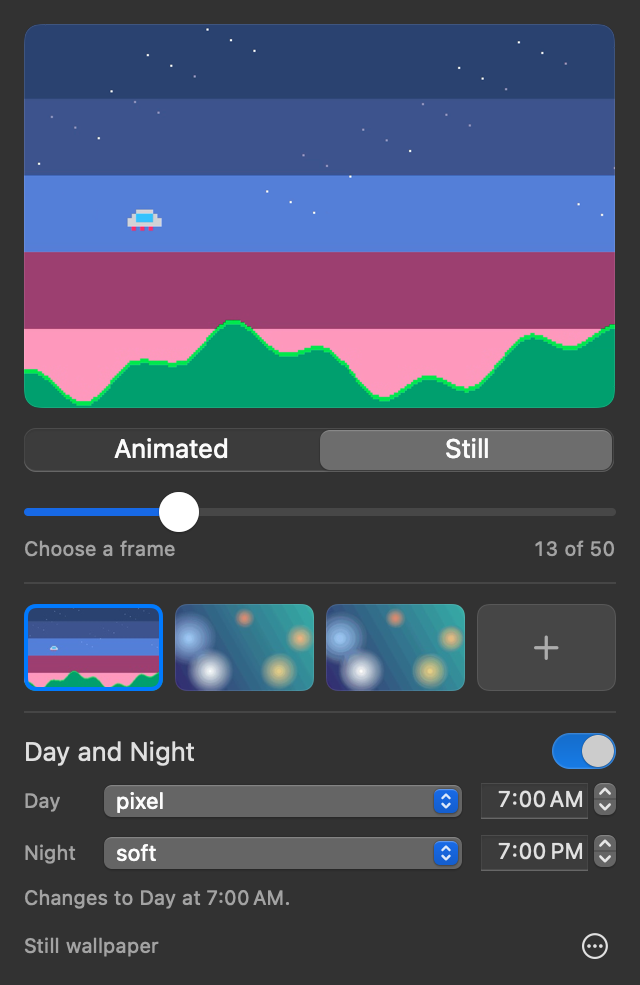
Your Mac asks if you're sure, because it came from the internet. Click Open. Then a small panel appears from a new icon at the top right of your screen. Drop a GIF or video onto it, and it's your wallpaper.
Will it work on my Mac?
Click the Apple logo at the top left of your screen, then About This Mac. You need:
- A chip that starts with "Apple M", like Apple M1 or Apple M4. Most Macs from late 2020 onward have one. If it says Intel, Lull won't run on your Mac.
- macOS 15.4 or later. If yours is older, you can usually update for free in System Settings, under General, then Software Update.
Common questions
Is it safe?
Yes. Apple scanned Lull for malware and approved it before it was published, and your Mac checks that approval when you open it. Lull doesn't connect to the internet and doesn't collect anything about you. Its code is public, so anyone can read it.
I opened it and nothing happened
Lull has no window or Dock icon. It lives in the menu bar at the top right of your screen, as a small stack of photos. Click it to open the panel.
Can't see it? Open Lull again from Applications and the panel appears. On a MacBook, the camera notch can hide icons when there are a lot of them, so quitting another app with an icon up there brings it back.
Why isn't my wallpaper moving?
To keep your Mac fast, it only plays after you click your desktop, and it freezes when you go back to an app. If you'd rather it kept moving around your windows, click the Lull icon, then the … button, then Whenever Visible.
Where do I get GIFs and videos?
Use any GIF, MP4 or MOV on your Mac, including ones you've saved from the internet or made yourself. For the sharpest result, use one that's about as wide as your screen. Lull tells you if a file won't fit well, and can fit it for you.
Does it replace my current wallpaper?
No. Your own wallpaper stays exactly as it is, underneath. Quit Lull and it's back.
How do I remove it?
Click the Lull icon, then the … button, then Quit Lull. Then drag Lull from your Applications folder to the Trash.